Identity
We detail here the essential operations for content management. In IT jargon, the basic operations on content are often grouped under the acronym CRUD(Create, Read, Update Delete). We can also add the operations of Workflow management, Translation, and Revisions. The whole can be summarized under the acronym: WCRUDTR. We place the W at the front because the Workflow governs the entire content lifecycle.
Content
Creation
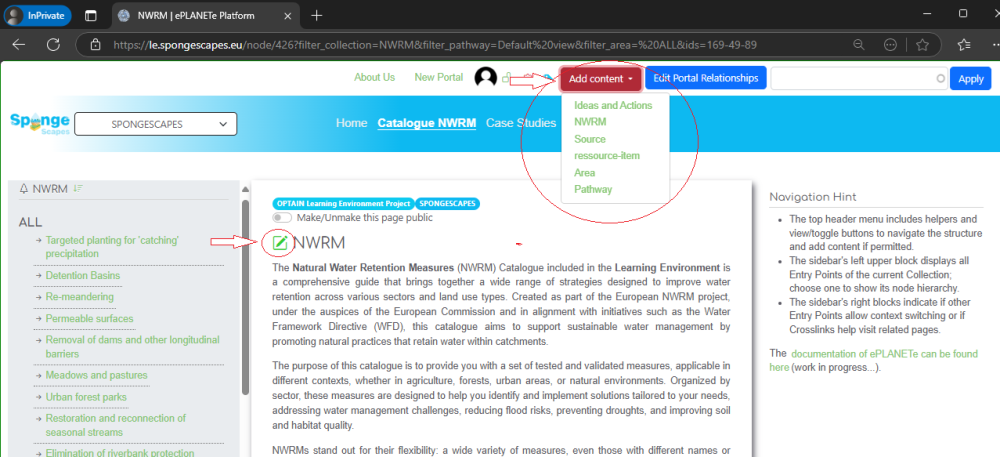
This is done from the red button at the top of the screen. It offers the content you can create based on where you are, meaning the currently displayed page, which is always located in a Content Gallery.
This layout is primarily composed of the main menu located in the top banner. Illustration from the "Catalogue NWRM" page:
Update
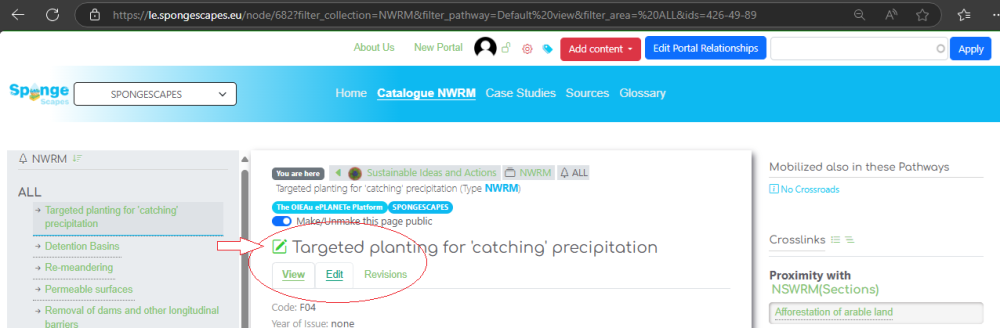
When the update icon is green, you have editing rights.
Membership & Workflow
Via the red gear next to the user icon.
Only "Coordinators" can modify roles.
This is done in three steps:
- Adding an existing user (who must have registered beforehand via the login page, the user icon in the top banner)
- Editing the member to associate roles with them. They are cumulative (to be an "Editor," you must have checked Author, Subeditor, Editor). Order:
- none: view all portal objects
- Author: create and modify their own content
- Subeditor: modify all content
- Editor: Review, Publish, Trash, Archive, revert to draft
- Coordinator: Can permanently delete
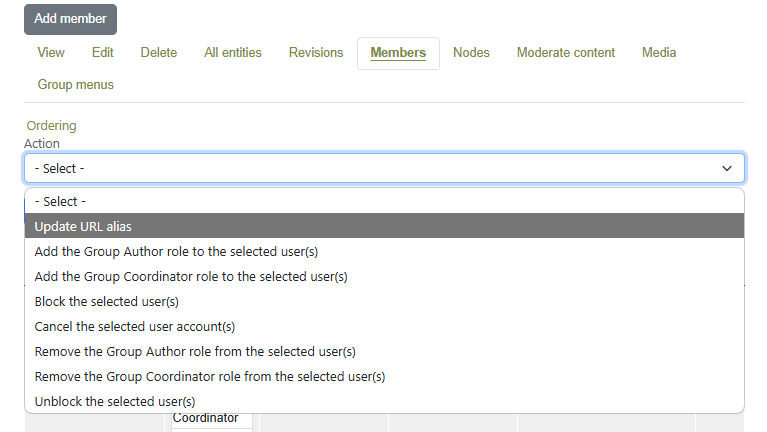
- TEMPORARY Action: Adding the Group Author and/or Group Coordinator roles via the "Action" list. This will soon be removed.
Content Moderation
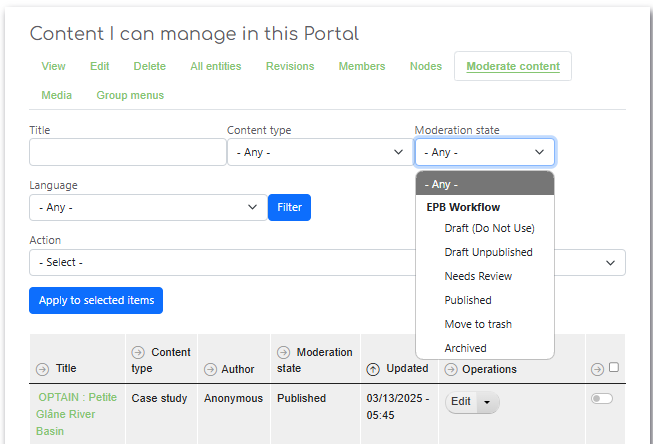
Always from the red gear to the left of the user icon, select the "Moderate content" submenu (Depending on roles).
You will only see here the content that has been recently modified or whose state has been changed.
Otherwise, you can use the "Nodes" submenu to see all the pages associated with your portal.
Change the "state" of a page or the current page depending on your role.
Go to the bottom of the page, in Edit mode: